 wordstock
the words you're learning, and how they're used
You pause the film, put down the book. Look up the word you just came across. Grab your notebook, a pen. Write it down, keep it safe for practice. Wordstock does it all for you.
Already have an account? Open the app.
wordstock
all the words that make up a language or dialect, or the set of words that are known or used by a particular person or group; vocabulary
- To communicate in any language, you need a word-stock of at least 3,500 words.
Alternative meaning
This little app, which helps you build up and learn your wordstock as you immerse yourself in the language through reading and listening.
How it works
- Send a word or an idiom. The entry is written while you carry on reading.
- Look it over, then add it to what you practise.
- Change anything by hand, or ask for it in the chat.
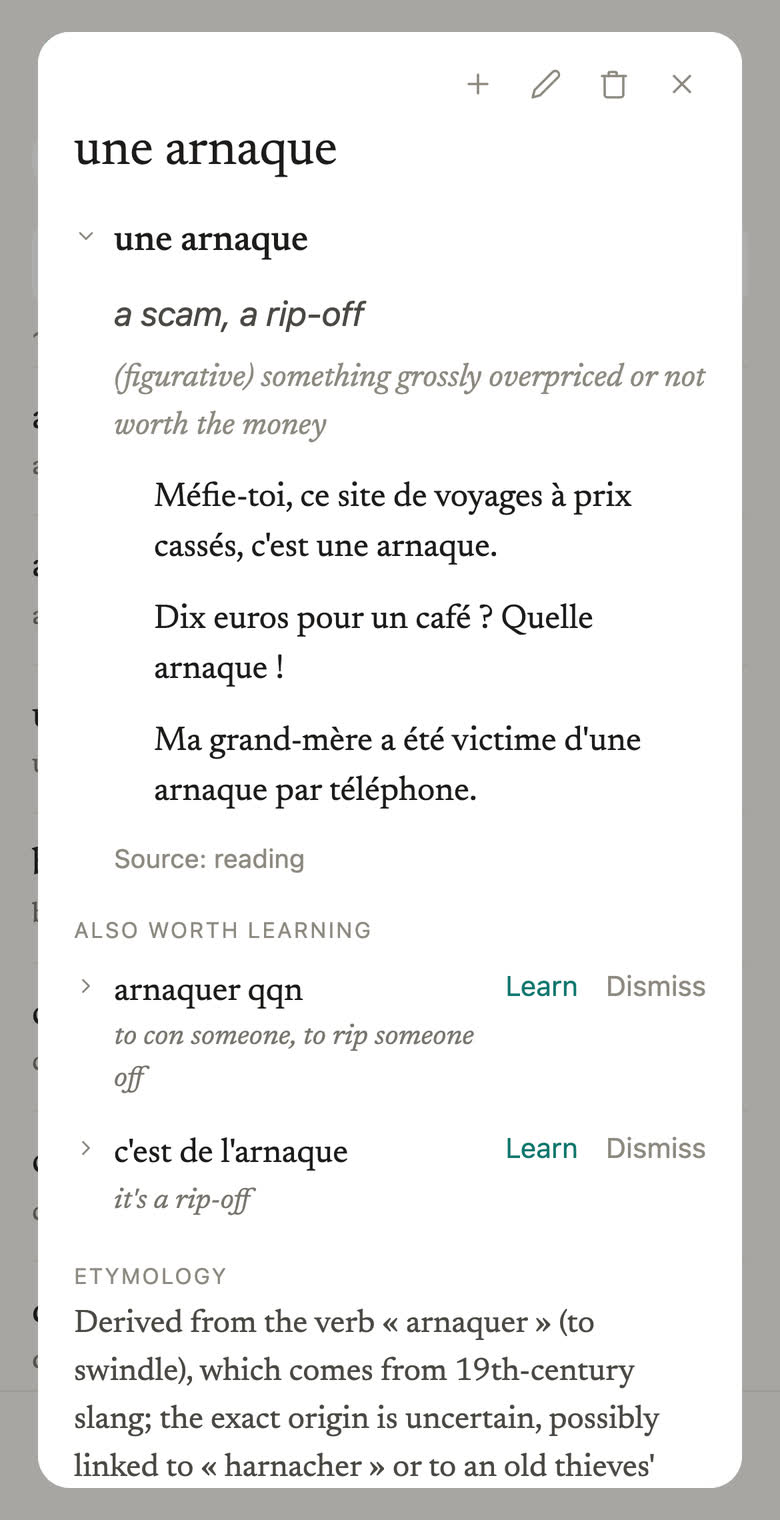
The etymology and the background come with it. Other words and idioms worth having are suggested, and close cousins and false friends are pointed out.
Practice
Only what you kept, and only when it is due. Words you pick can be grouped into and practised as a collection.
A word you meet, a card you keep.
No looking it up, no writing it down, no deciding where to file it. You send it and carry on reading; the card is waiting when you next look.
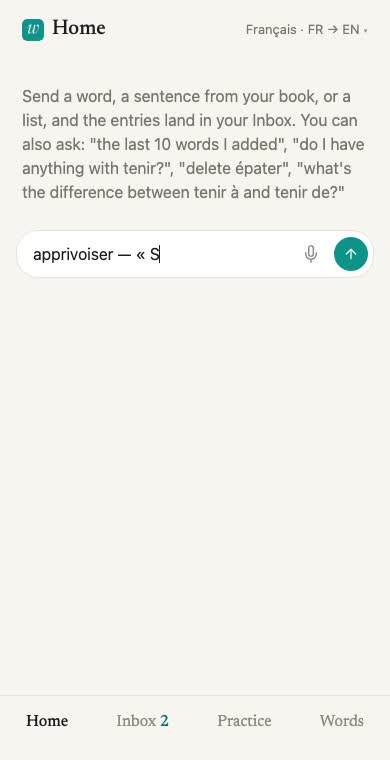
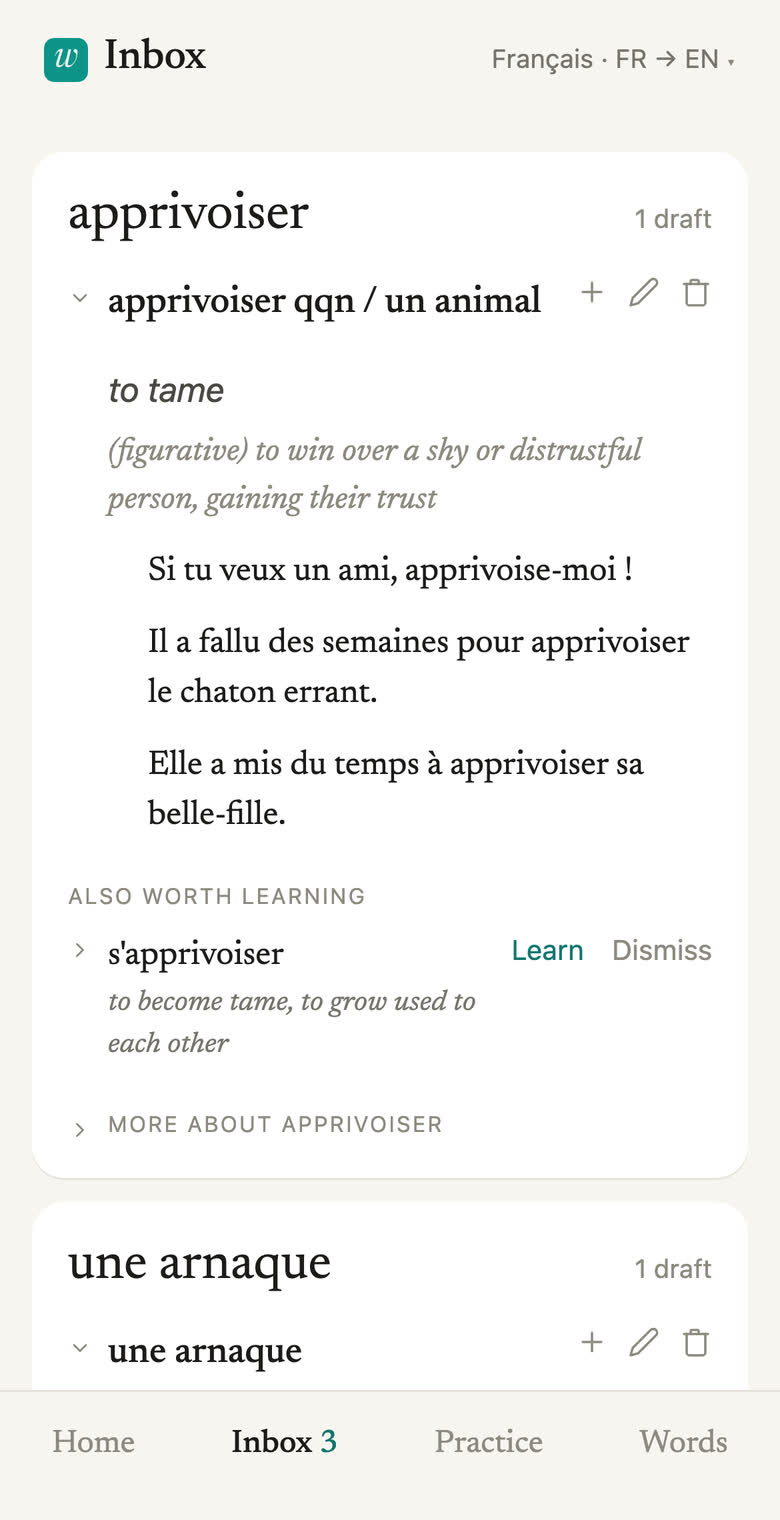
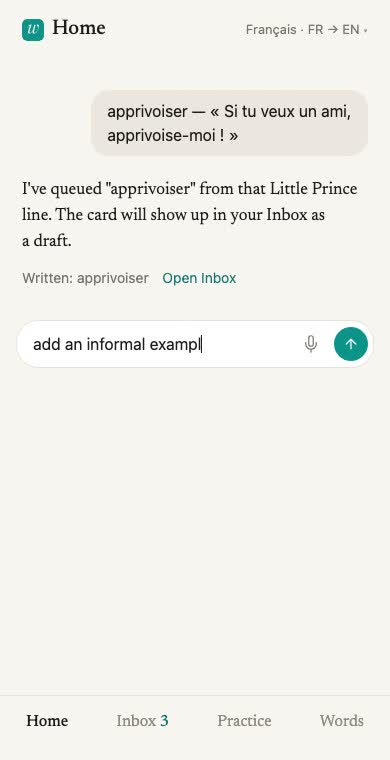
Then change it by asking.
A card that is nearly right is one sentence away from right. No editor to open, no fields to find, and a way back from any change you did not want.
And practise what you kept.
Only the words you confirmed, only when they are due, and both directions counted apart.
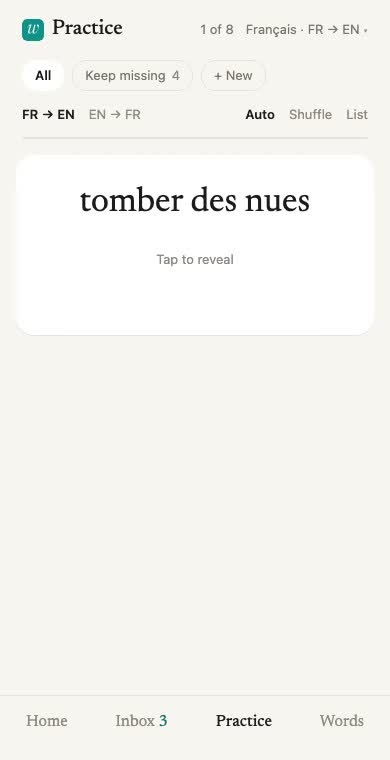
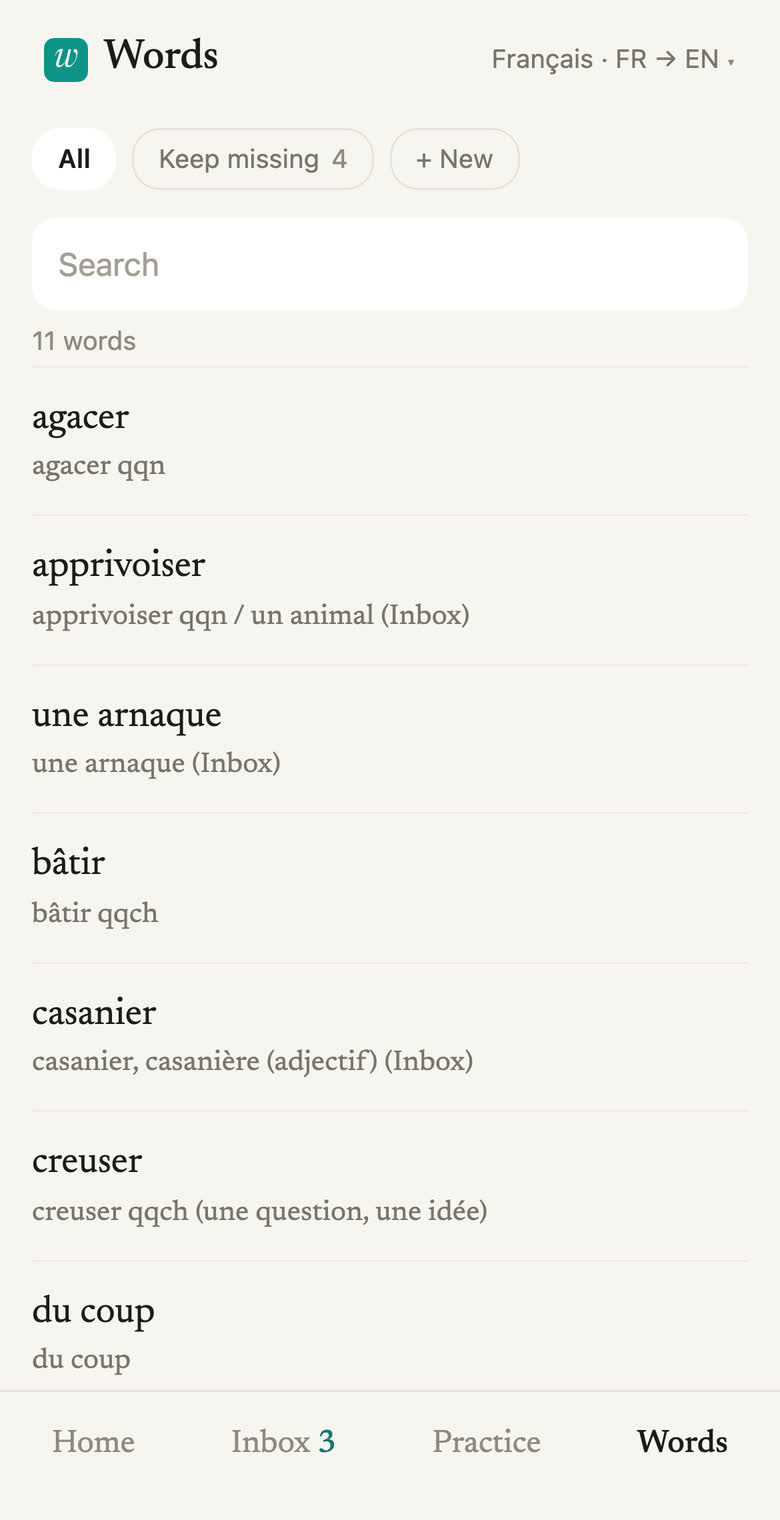
Built for your phone.
Chrome on an iPhone is where it is designed and where it is tested. A laptop works too, with buttons where the phone has a swipe.
Put it on the home screen and it opens full screen and stays logged in. From app.wordstock.app, three taps:

A vocabulary you build out of what you are actually reading: you send a word, the app writes the card, and you practise what you decided to keep.
Free for now.
Hi, I'm David. I built this app for myself and my wife, and we have found it useful — that is why I am sharing it with you. If more than a handful of people start using it, it will become expensive to host, and at that point I will need to think about pricing.
But for now: no card, no plan to choose, no upgrade hidden behind a limit. If that ever changes, you will hear by email first, with time to take your vocabulary with you. I hope you find the app useful.
Say something.
If something is broken, confusing or missing, please let me know.
Or write an email to hello@wordstock.app.